
Keyring is a platform-independent API to access the operating systems credential store. From version 1.2 of the RStudio IDE, you can use keyring to store secrets using .rs.askForSecret() R function.
Keyring currently supports the following backends:
| OS | Keyring Backend | Dependencies |
| macOS | Keychain | None |
| Windows | Credential Store | None |
| Linux desktop | Secret Service API | libsecret |
| Linux servers | File based (encrypted at rest) | libsodium |
In addition to these defaults, environment variables are supported on all platforms. Other storage backends can also be added.
Desktop Installation
OS X and Windows do not require additional software.
For Linux desktops install the libsecret library, at least version 0.16.
- Debian/Ubuntu:
libsecret-1-dev - Recent RedHat, Fedora and CentOS systems:
libsecret-devel
Server Installation
For Linux servers install the libsodium library.
- Debian/Ubuntu:
libsodium-dev - Fedora, EPEL:
libsodium-devel
libsecret requires an X11 interface (e.g. Gnome), so the secret service backend will not work with RStudio Server Open Source and RStudio Workbench (previously RStudio Server Pro). Instead, install libsodium and use the file backend by setting the keyring_backend option to file. The file backend stores encrypted secrets on disk under home/.config/r-keyring/system.keyring. Setup requires the system keyring and password be initialized manually.
  options("keyring_backend" = "file") # add this to .Rprofile
  keyring::keyring_create("system")
Using Keyring
Keyring can be used to store secrets in RStudio using the rstudioapi::askForSecret() function. This is useful and recommended while storing sensitive information like connection passwords and connection strings.
One can retrieve and store a secret with:
secret <- rstudioapi::askForSecret("Test")
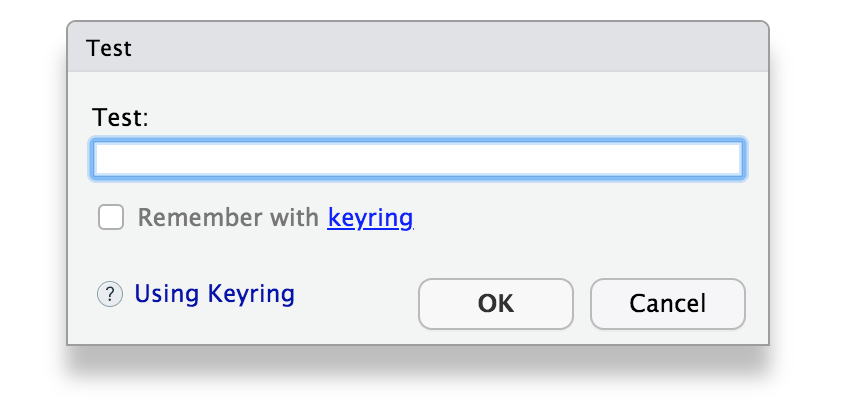
If the keyring package is not installed, the checkbox will be disabled. Keyring can be manually installed using installed.packages("keyring") or by clicking the keyring hyperlink in the dialog and following the installation prompt.
If the user checks the "Remeber using keyring?" checkbox, then subsequent calls to:
secret <- rstudioapi::askForSecret("Test")
will remember the previous value and also retrieve the secret contents.
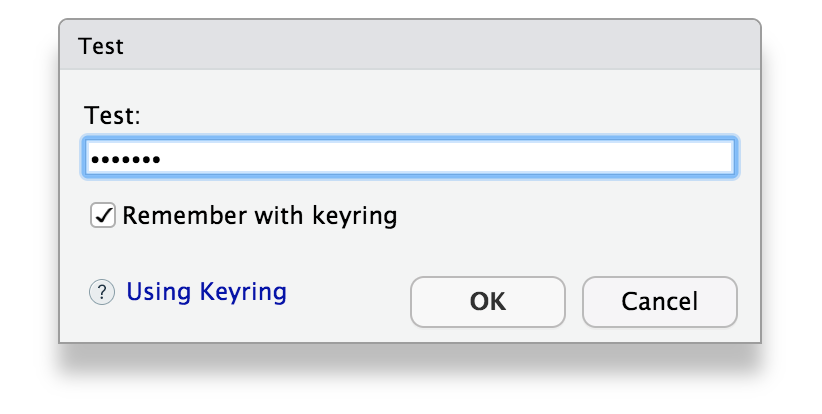
To remove a previously stored value, one can uncheck the "Remember using keyring?" checkbox.
Please be aware that while using Keyring to store secrets is secure, once a secret is retrieved from Keyring, the secret is no longer protected. Therefore, once a secret is retrieved from Keyring, avoid: printing, logging or saving your secret; instead, consider passing the unencrypted secret directly to the functions that need access to it. For instance, while connecting to a database, request the secret from Keyring directly in the connection function:
dbConnect(odbc::odbc(), password = rstudioapi::askForSecret("password"))